

The Hidden Revenue Stream: How Gift Cards and Add-Ons Boost Your Bottom Line
The Overlooked Opportunity Most studio owners spend their energy filling classes and booking appointments. That’s the core revenue, so it makes...
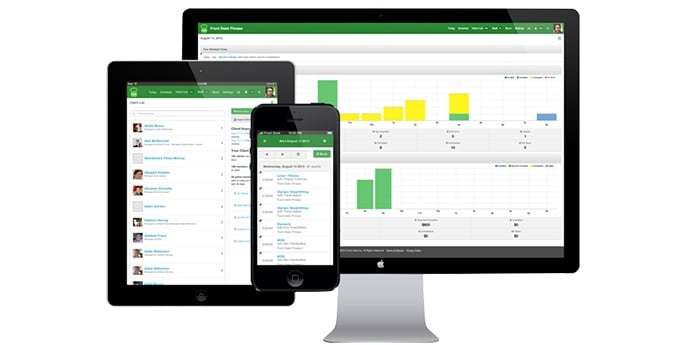
 Scheduling software is a very broad term. There are a plethora of options available in the software marketplace for whatever your needs might be. At Pike13, we've seen a common trend when it comes to appointment-based businesses. Based on our observations, we put together these 6 must-have features for scheduling software:
One of the most important features is having software that provides customers with a user-friendly experience from any device. Ensure that your scheduling software is built with responsive design. Native apps for iOS and Android are even better as they will automatically adjust for the device's screen size.
To ensure easy communication, your scheduling software should be able to send automatic notifications via text or email. Notifications might include a new class schedule, instructor schedule, appointment reminders or cancellations, just to name a few.
There are software platforms (like Pike13) that allow you to track employee hours and input specific rates for classes and instructors. At a minimum, your scheduling system should integrate with your existing payroll software This reduces the amount of data that needs to be entered manually into the payroll system, which often improves accuracy.
Manually preparing schedules can be time-consuming and complex. By harnessing technology, schedules can be prepared and distributed easily, freeing managers for more mission-critical tasks.
With reporting and analytics on-hand, you can see where your business is thriving or where it needs a little extra love. Without consistent, timely reporting, you’re running your business blind. Your scheduling software should be able to provide data on metrics like client retention, revenue, enrollment and dormant accounts.
Reports house sensitive information. As an owner, you can grant or deny access to different reports with just a couple taps.


The Overlooked Opportunity Most studio owners spend their energy filling classes and booking appointments. That’s the core revenue, so it makes...

Protect your business and client data from unauthorized access with multi-factor authentication—a critical security layer that goes beyond passwords...

 Monica B.: Jul 20, 2023
Whether you run a fitness studio, yoga center, or any other membership-based business, managing registrations, payments, and customer data can be...

 Nolie MacDonald : Apr 24, 2018
When is the right time for a small business to take that leap and invest in a scheduling software solution? The answer is... yesterday. Investing in...
Nolie MacDonald : Sep 04, 2018
The Retention People (TRP) now integrate with Pike13 software offering easy tracking of your Net Promoter Score® (NPS) through their Insight product....

 Katie Zacharkiw : Aug 07, 2018
In an ideal world, all of your clients would be wonderful. They’d have 100% attendance rates, always pay their bills on time, and be a constructive...